Tell It What You Want. Watch It Cut on the Beat.
Onset Engine 2.0 adds a command bar that edits your video from a sentence, new editing options for any shot or part of the song, and a Library for everything you own. All of it runs on your computer.
Free for Every v1 License
Bought Onset Engine at any time before 2.0? The update is free: same license, no new purchase, no subscription.
New here? There is one paid version, Onset Studio, a one-time purchase of $79. The free Demo has every feature, 2.0's included; it renders the first minute of a video at 720p with a watermark.
Edit by Typing
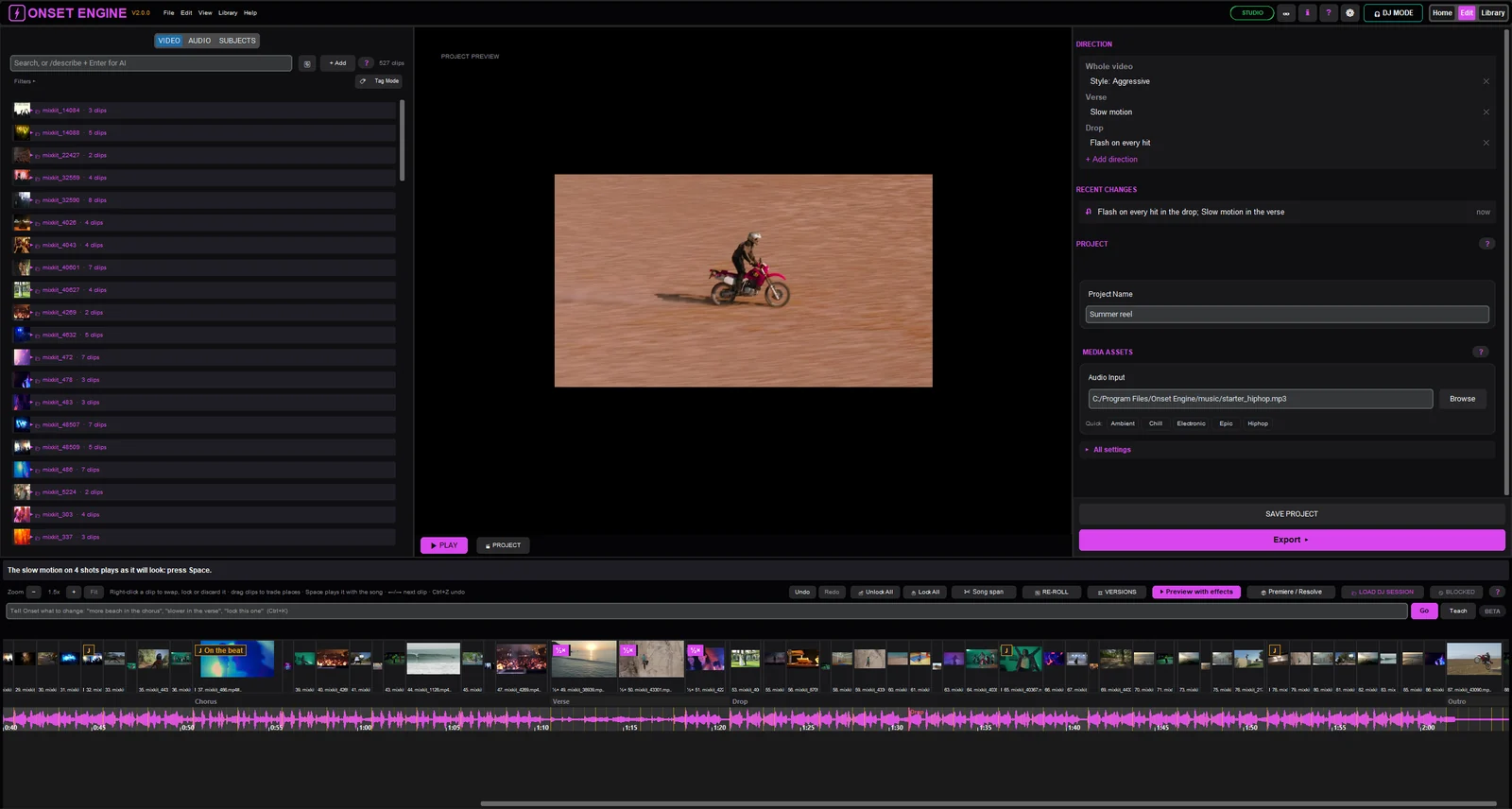
A command bar above the timeline (beta). Type what you want changed and Onset Engine shows what it understood, and which shots it would change, before anything happens.
The command bar
"Calm verse, explosive drop", "more beach in the chorus", "slow mo on the drop". Enter applies, one Ctrl+Z undoes. The language model runs on your computer.
One Place for What You Asked
Home, Edit and Library, a switch at the top. Direction lists everything you asked for, however you asked, and the song's parts are named on a strip you can click.
Home, Edit and Library
Start a video, edit it, or browse everything you own. Re-cut and Export sit under the settings.
Direction and Recent changes
Every lasting choice in one list, grouped by where it applies. ✕ takes one away, Ctrl+Z brings it back, and every setting is one undo step.
The song's parts
Intro, Verse, Chorus, Drop, named on a strip under your shots. Click one and what you ask is about that part.
New Editing Options
For chosen shots, a part of the song or the whole video, by mouse, by key or in a sentence. A part's choice lasts through every Re-cut.
Slow motion
Half speed with smooth in-between frames, and the cuts stay on the beat.
Flash, shake and zoom
On every hit, every beat or every cut, or through the shots themselves.
Color looks
Warmer, cooler, brighter, darker, more vivid, black and white, teal and orange, vintage, and combinations.
A look for each part
Its own style or transitions for one part of the song: hard cuts in the chorus, VHS for the intro.
Fades and song loudness
Fade the picture, the music or both; more bass in the drop; the clips' own sound over the music for a while.
Movement on the beat
Repeating movements, a step, a clap, a swing, timed so each one lands on a beat.
Try More, Repeat Less
Compare versions, keep your direction as a recipe, make several videos at once, or start from an edit you like.
Versions
Three versions of any shots, a part or the whole video. Step through them with the song and keep the one you like.
Recipes and batches
Save your direction under a name and use it again. Make a video for every song in a folder, or one per format or length.
Make it like a video
Pick a finished edit and Onset Engine measures how it is cut, then sets the same for yours. Read on your computer, nothing uploaded.
Your Library
Everything in the places you keep videos, analyzed or not, in one searchable view.
Search, saved searches and collections
Search by name, place, date or what a video shows; keep a search and it stays current; see where else a shot appears.
Find duplicates
Exact copies, and the same footage re-encoded, resized, trimmed or mirrored. You review every set.
More in 2.0
Year in review
One moment from every day or every week of your photos and clips, in date order, cut to a song.