You direct.
Onset cuts it to the beat.
AMVs, phonk & car edits, gaming montages, VJ sets - if you cut footage to music, this is your tool. Drop in your clips (or your photos) and a song: Onset Engine maps every beat and drop, picks the right moments and cuts the whole song, ready to render or tweak.
For Windows 10 and 11. On a Mac? Get notified when the Mac version is ready
Tell It What You Want
A free update for every license owner. Every feature is in the free Demo, too.
Edit by typing
"Calm verse, explosive drop", "slow mo on the drop". Onset Engine shows what it understood before anything changes, and one Ctrl+Z undoes it. The language model runs on your computer.
New editing options
Slow motion, flashes and shakes on the beat, color looks, fades and title text, for chosen shots, a part of the song or the whole video.
Your whole library
Everything in the places you keep videos, in one searchable view, with saved searches and a duplicate finder.
What do you make?
Onset Engine does one thing, better than anything else: turn a folder of clips, or photos, into a beat-synced edit. Find your lane.
AMV & Anime Edits
Cut your favorite scenes to the beat, automatically.
Phonk & Car Edits
Hard edits that land on every drop.
Gaming Montages
Your best plays, cut into a montage.
Music Videos
Footage plus a track, into a finished video.
VJ & Live Visuals
Beat-reactive visuals, live, with zero latency.
Highlight Reels
The best moments, pulled from hours of footage.
Photo Slideshows
Your photos and video clips in one edit, every cut on the music and every photo moving, in the order they were taken.
However You Edit, One Engine Keeps Up
One-click for a finished edit in minutes, live mode for VJ sets, or full manual control when you want to sweat every frame.
One-Click Automation
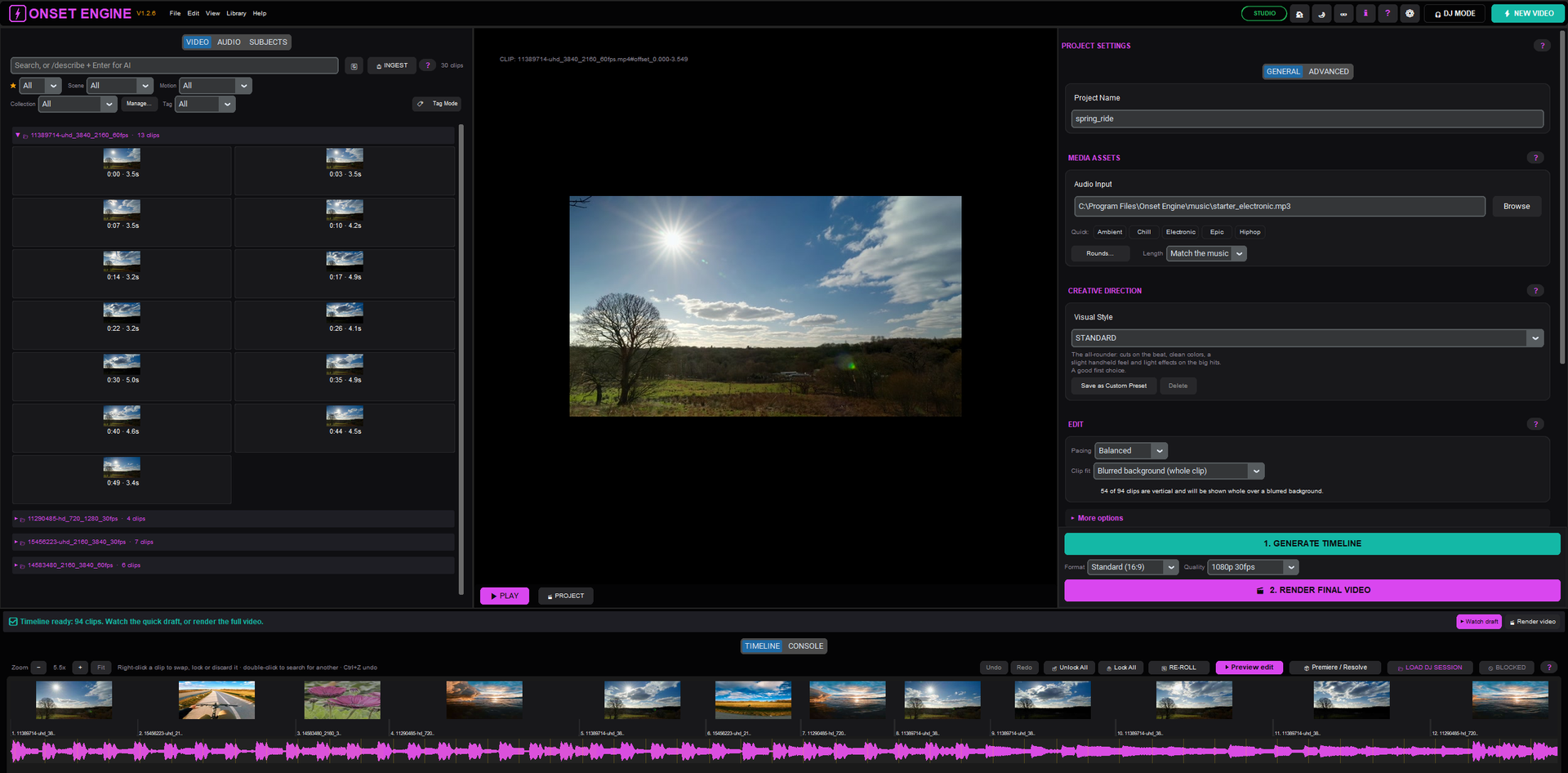
Press New video, pick your clips and a song: the AI maps every beat, picks clips that match the music, and cuts a draft of the whole song in minutes - even from long footage. Describe what to show in plain words if you like, then render it with transitions, pacing and cinematic VFX. Done.
Live Performance
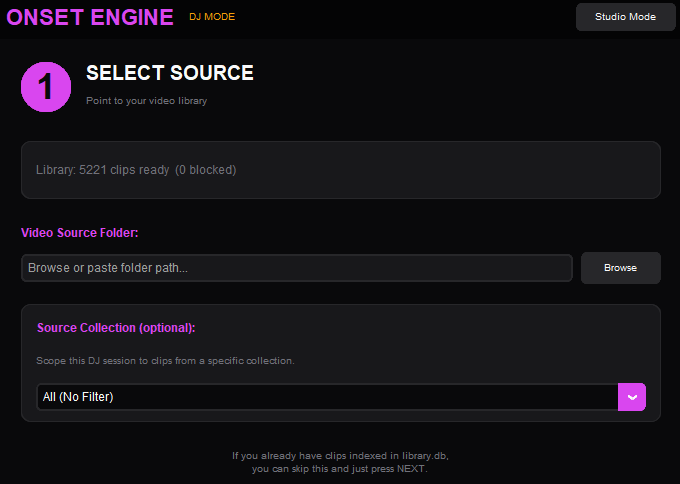
Real-time reactive visuals synced to your audio. Hardware-decoded playback with zero latency. Perfect for VJ sets, live shows, and installations.
Full Creative Control
NLE-grade precision. Smart cropping with face detection, 30+ cinematic VFX, triptych export, and OpenTimelineIO hand-off to Premiere or DaVinci.
From Raw Footage to Beat-Synced Edit
Four steps. No cloud. No waiting for uploads.
Ingest
Point Onset Engine at your video folder. The AI analyzes your footage, building a searchable fingerprint of every clip in your library.
Analyze
Drop in a music track. The audio engine maps every beat, energy curve, drop, and section boundary - creating a temporal blueprint that drives pacing, mood, and intensity.
Select
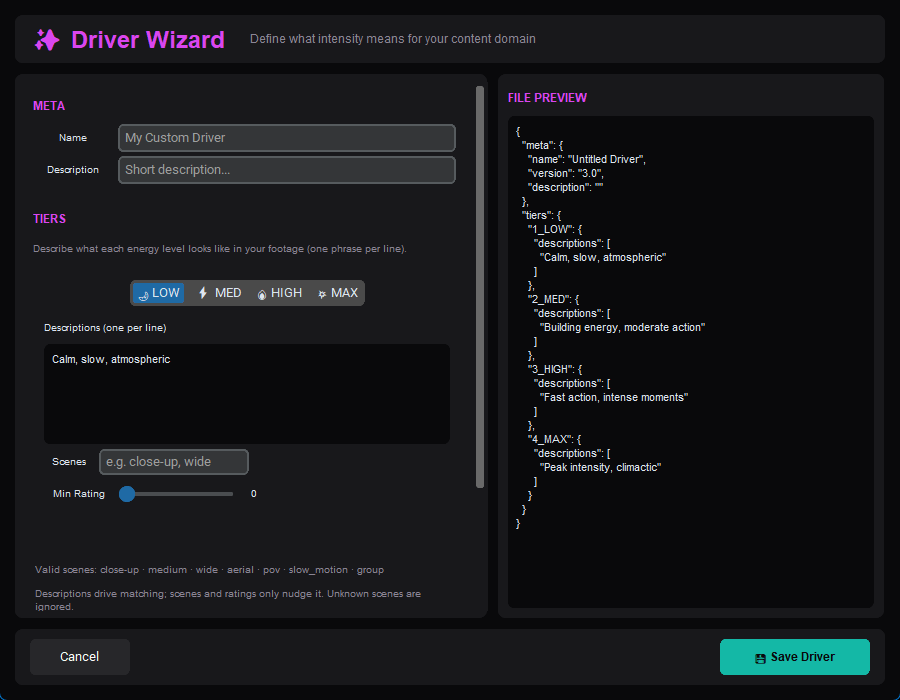
The driver system matches clip semantics to musical intensity. Calm footage gets quiet moments. High-energy clips hit the drops.
Render
Chunked, memory-safe rendering with cinematic VFX. Or skip rendering entirely - launch DJ Mode and mix live.
9 Built-In Presets
Each preset controls pacing, transitions, color grading, and effects - from raw, unfiltered cuts to full Hollywood prestige. Build your own and share them.
Why Editors Choose Onset Engine
AI That Understands Your Footage
The AI builds a searchable fingerprint of what's in every clip in your library - with the Standard model by default, or High Quality for even better clip matching. It doesn't just detect motion - it semantically understands what's on screen. Search your entire footage archive by typing a text description, and the engine finds matching scenes instantly.
Beat-Synced by Math, Not Guesswork
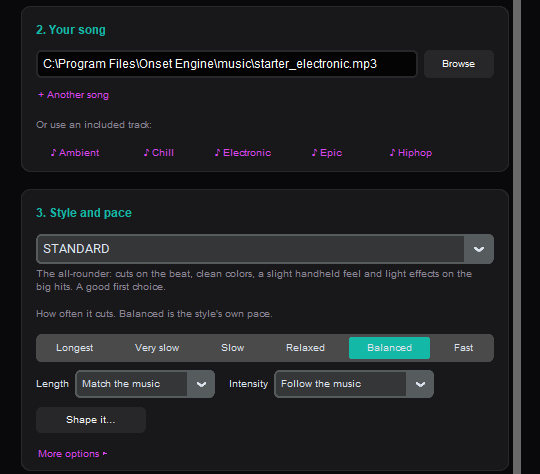
AI beat detection finds every beat and downbeat in your music track and maps its onsets, energy curves, and section boundaries. The driver system maps high-energy clips to drops and calm footage to intros - every cut lands precisely on beat. Choose from 9 built-in presets or build custom pacing profiles via JSON.
Works Offline After Setup
No cloud uploads. No processing queues. No per-minute AI fees. Onset Engine runs entirely on your local hardware - on NVIDIA cards, CUDA accelerates AI analysis and NVENC speeds up 4K exports; AMD Radeon cards get hardware-encoded exports via AMF; any modern CPU handles the rest. Your footage never leaves your machine, and you never wait for a server.
One-Time Purchase, No Subscription
Try every feature free in the Demo. Onset Studio is $79, paid once, with free updates, v2.0 included: it renders your whole edit with no watermark, in up to 4K / 60 FPS. No monthly fees, no render credits. Every render is unlimited. Every export is yours.
Stop Paying Rent for Cloud Intelligence.
One-time purchase. Free updates, v2.0 included. Turn off the Wi-Fi. Hit Generate. Let the machine do the cutting.