Built for Performance.
Engineered for Precision.
This isn't a cloud wrapper or a basic render script. It's a kinetic orchestration engine with chunked rendering, AI search by meaning, and a full cinematic VFX pipeline - running entirely on your metal.
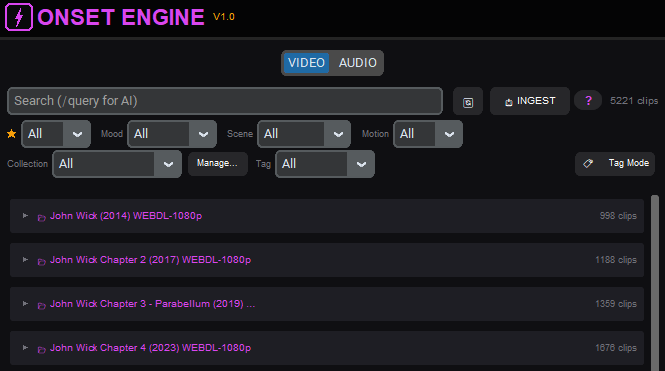
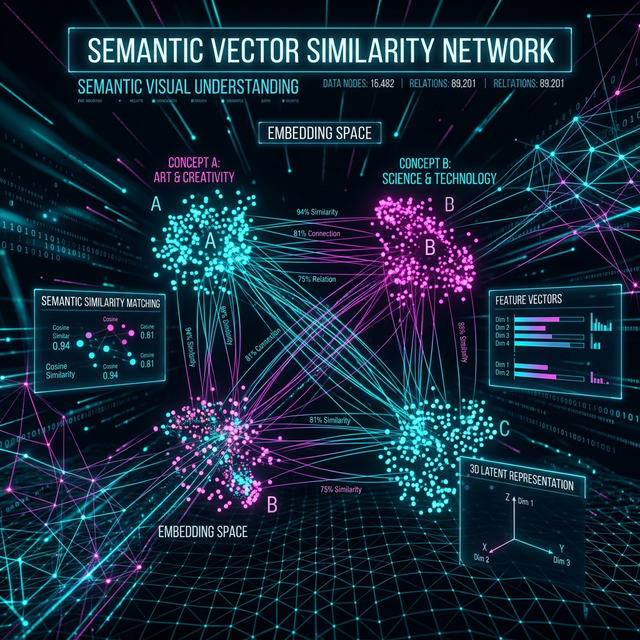
Your Footage, Semantically Understood
Onset Engine's visual AI builds a deep fingerprint of what's in every clip in your library. This isn't keyword tagging - it's semantic understanding. The engine knows the difference between "a character standing calmly" and "an explosive fight scene" without you labeling a single frame.
- ✓ Automatic scene type and mood classification
- ✓ Semantic search - find clips by describing what's in them
- ✓ Few-shot subjects - tag ~5 clips of anything (a person, a vehicle, a shot type) and it finds the rest, with a review queue that sharpens each pass
- ✓ Motion scoring for dynamic content detection
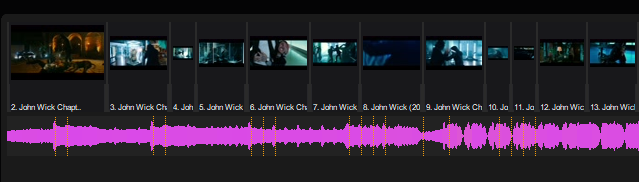
Every Beat Mapped. Every Drop Detected.
The audio engine's AI beat detection, bundled with the app, finds every beat and downbeat and maps onset strength and energy curves across the whole song. Cuts don't just land on beats - they accelerate during buildups and breathe during interludes.
- ✓ AI beat and downbeat detection - cuts land on the bars, not just the beats
- ✓ Continuous energy mapping (0.0–1.0) with smooth pacing interpolation
- ✓ Drop detection - finds the 30-second peak energy window
- ✓ Silent tail trimming - auto-trims fade-outs so videos don't play over silence
- ✓ Voice activity detection for smart audio ducking
- ✓ onset-aware cut snapping (±200ms musical precision)
Memory-Safe Chunked Rendering
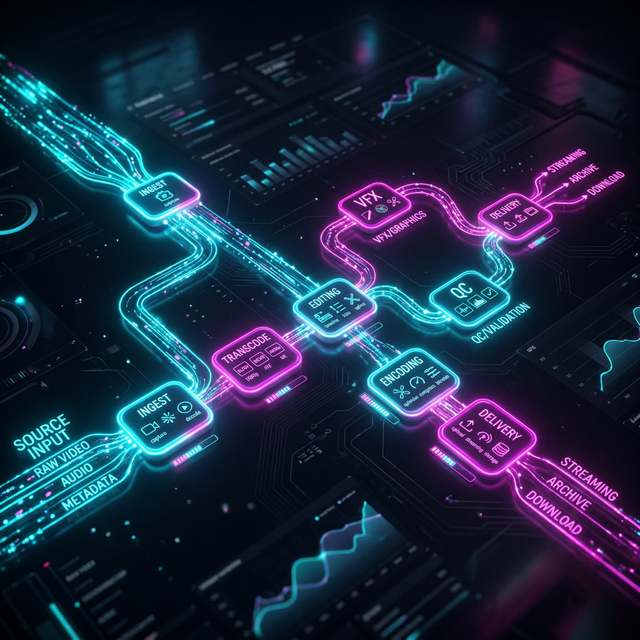
Render 10-hour compilations without crashing. The EDL-based pipeline processes clips in chunks of 10–20, flushing RAM between each batch. Final output is stitched together with music and bumpers.
- ✓ Two-phase architecture: Selection (~30s) → Render (chunked)
- ✓ Multithreaded rendering (3–4× speedup)
- ✓ Maximum quality: NVENC p6/CQ17 with full prestige VFX
- ✓ Narrative arc modes: Buildup → Drop, Flat, or Follow Music
Cinematic Effects, Zero Manual Work
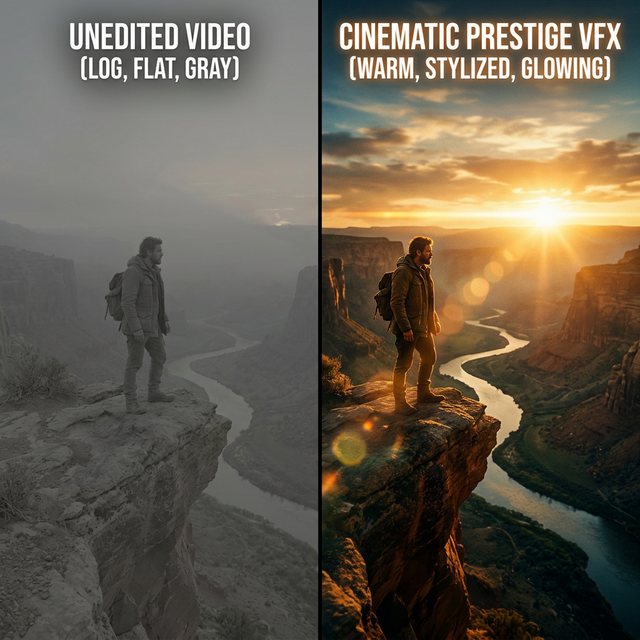
Nine built-in style presets - each with signature cinematic effects powered by AI depth estimation, optical flow, and foreground extraction. From raw cuts to full Hollywood prestige with halation, anamorphic streaks, luma-matte transitions, and beat-reactive effects. Build your own presets and share them as JSON.
- ✓ Face-aware smart cropping
- ✓ AI cutout pop transitions + luma-matte brightness reveals
- ✓ Depth parallax and rack focus effects
- ✓ Film halation, anamorphic streaks, echo trails, VHS tracking
- ✓ Optical-flow motion streaks and speed freeze effects
- ✓ Beat-reactive bloom, light leaks, and bass blur pulse
- ✓ Dissolve, luma-matte, whip pan, cutout pop, and zoom transitions
- ✓ Cinematic letterboxing and color grading
Content-Agnostic by Design
Onset Engine is not hard-coded for any content type. The JSON Driver System lets you define what "intensity" means for any genre - anime, gaming, nature, automotive. v3 drivers support subject tags, mood filters, min-rating gates, and contrastive scoring that measures how specifically a clip fits one tier, not just how closely it matches.
{
  "meta": { "name": "AMV", "version": "3.0" },
  "tiers": {
    "1_LOW": {
      "descriptions": ["character standing calmly"],
      "moods": ["serene"]
    },
    "4_MAX": {
      "descriptions": ["massive energy explosion"],
      "moods": ["epic"],
      "min_rating": 4
    }
  }
}
One Click. The Whole Song.
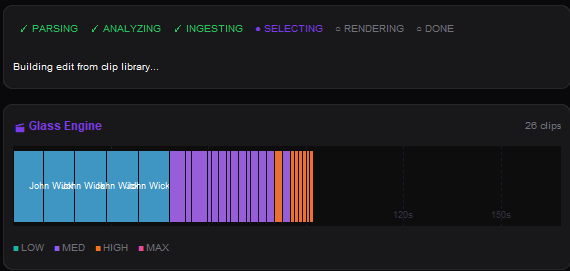
Press ⚡ New video, add your clips (or use your library) and a song. Onset Engine analyzes your footage, maps every beat, picks clips that match the music and cuts a draft of the whole song - open in the Editor, to render as it is or change anything. Long footage? It analyzes about 10 minutes of it first, spread across it, so your first draft comes in minutes, then analyzes the rest when you're ready.
- ✓ Describe what to show in plain words - quiet parts and heavy drops - or leave it to the music
- ✓ Auto-generates a 4-tier semantic driver from your descriptions
- ✓ A first draft from 30 minutes of 4K footage in under 3 minutes (RTX 3060 Ti)
- ✓ Or tick one box to get the finished video, rendered, in the same go
Live Video Mixing. Zero Latency.
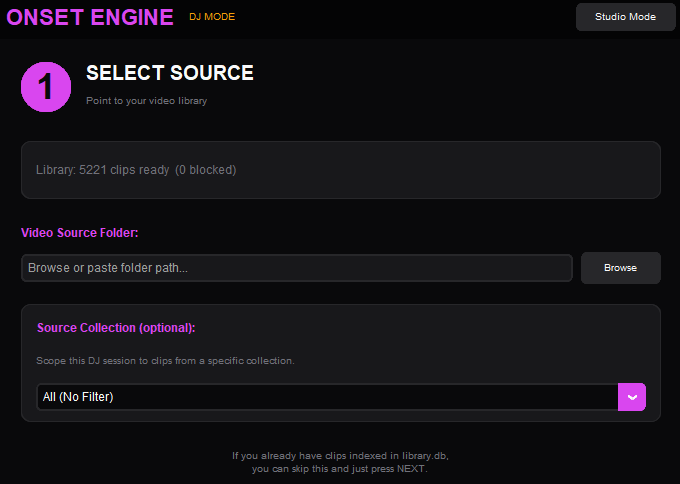
Launch a gapless, hardware-decoded MPV session that mixes clips to your music in real-time. Keyboard-driven energy tiers let you ride the mix like a DJ - force transitions on beats, lock styles mid-set, and cue text descriptions on the fly.
- ✓ Gapless MPV playback with hardware decoding
- ✓ Energy tier locking - force calm, medium, or intense footage
- ✓ Live text search - type a phrase, instantly match clips
- ✓ Session recording - save as EDL, render to MP4 later
- ✓ Library-aware: uses driver scoring, ratings, and collections
Describe It. Don't Configure It.
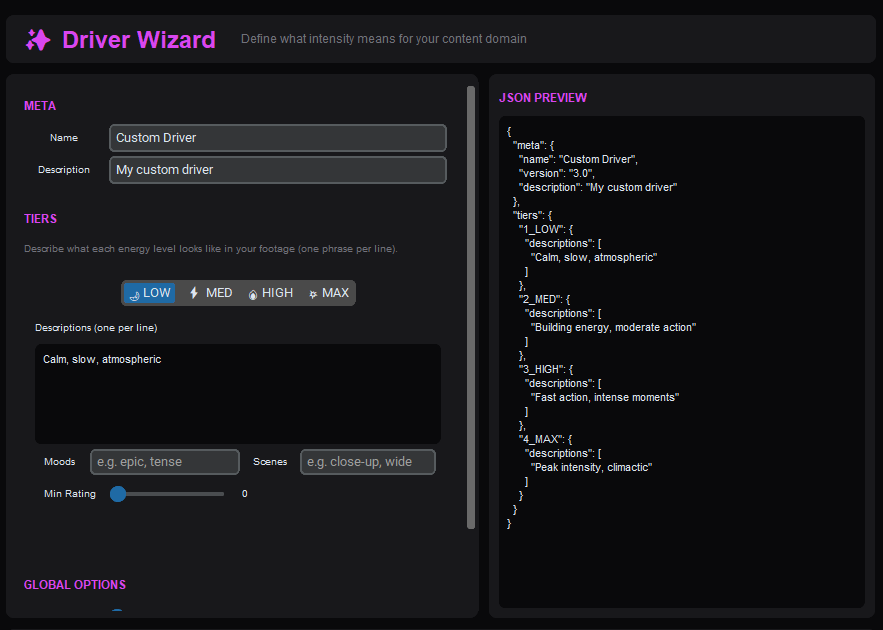
You don't need to write JSON to tell Onset Engine what you want. Two text fields in the Editor - "During quiet parts, focus on..." and "On the heavy drops, focus on..." - auto-generate a full 4-tier semantic driver behind the scenes. Power users can still open the Driver Wizard or load a custom JSON.
- ✓ Natural language input - no schema knowledge required
- ✓ Auto-generates 1_LOW → 4_MAX tiers from your descriptions
- ✓ Priority chain: custom driver JSON → text descriptions → motion fallback
- ✓ Vision query - filter footage at ingest time by describing what you want
- ✓ Crate Digger - rate clips while you wait for the render
Fix the Last 5%. Manually.
The AI gets 95% of the edit perfect. The Curator gives you manual tools to fix the rest - swap a bad clip, nudge timing by one frame, or re-roll until the cut feels right. Available for Core and Studio users.
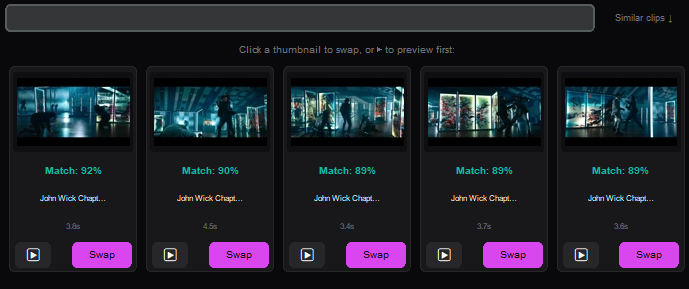
- ✓ Swap - click any clip, search your entire library by text
- ✓ Micro-slip ±1 frame - nudge clip start without moving the cut point
- ✓ Pin & Lock - protect clips from re-rolls
- ✓ OTIO Export - open your timeline in Premiere Pro, DaVinci Resolve (Studio)
Pro Integrations
Onset Engine fits into your existing workflow, not the other way around.
📐 OpenTimelineIO Export (Studio)
Export your AI-generated timeline as a .otio file. Open it directly in DaVinci Resolve, Premiere Pro, or any OTIO-compatible NLE. Full editorial control, zero lock-in.
📱 Triptych Mode (Studio)
Automatically generate 3-panel side-by-side vertical layouts (1920×1080). Perfect for TikTok, Reels, and Shorts - the viral format that keeps audiences watching.
🎧 Clip Audio Mix
Keep your clips' own sound under the music. Set the source volume and the music level once, and both hold steady through the whole render - no pumping.
📁 Pointer-Only Ingest (Core+)
Index 4TB of video without duplicating a single file. The Don't make copies of clips option creates virtual pointers in the database. Zero extra disk space.
📂 Source Collections
Create named subsets of your library. Scope renders, DJ sessions, and New video to specific collections - perfect for organizing projects by client, genre, or shoot date.
⭐ Unified Tagging
Quality ratings, mood and scene type classification, and few-shot subject propagation. Tag 5 clips, the AI finds the other 800.
🥁 Beat Markers & Beat Grid Export
Export any track's beats as markers for Premiere Pro, DaVinci Resolve or After Effects, named by bar and beat - every beat or bar starts only, snapped to your timeline's frame rate. Or as an Audacity label track, CSV, or timing file. Free in the demo. How it works →
📈 External Energy Curves
Drive an edit's intensity from a file instead of the music. Supply a simple time,intensity CSV - a hand-drawn build, a sensor trace, a telemetry log - and the edit follows your curve while cuts stay locked to the beat. Blend it against the track or replace it outright.
🗂️ Media Library Import
Already catalogued your footage in a self-hosted media manager? Import those subjects and tags directly over localhost, complete with visual fingerprints - so your existing organization drives editing from day one instead of being retyped.
🕶️ Privacy Mode
Blur every thumbnail for screen sharing, neutralize the window title, and hide the app with a hotkey. Optional PIN at launch. For editing client work in a coffee shop, or anything you'd rather not have on screen during a call.
See It in Action
Download the free demo and watch Onset Engine analyze your footage locally.